
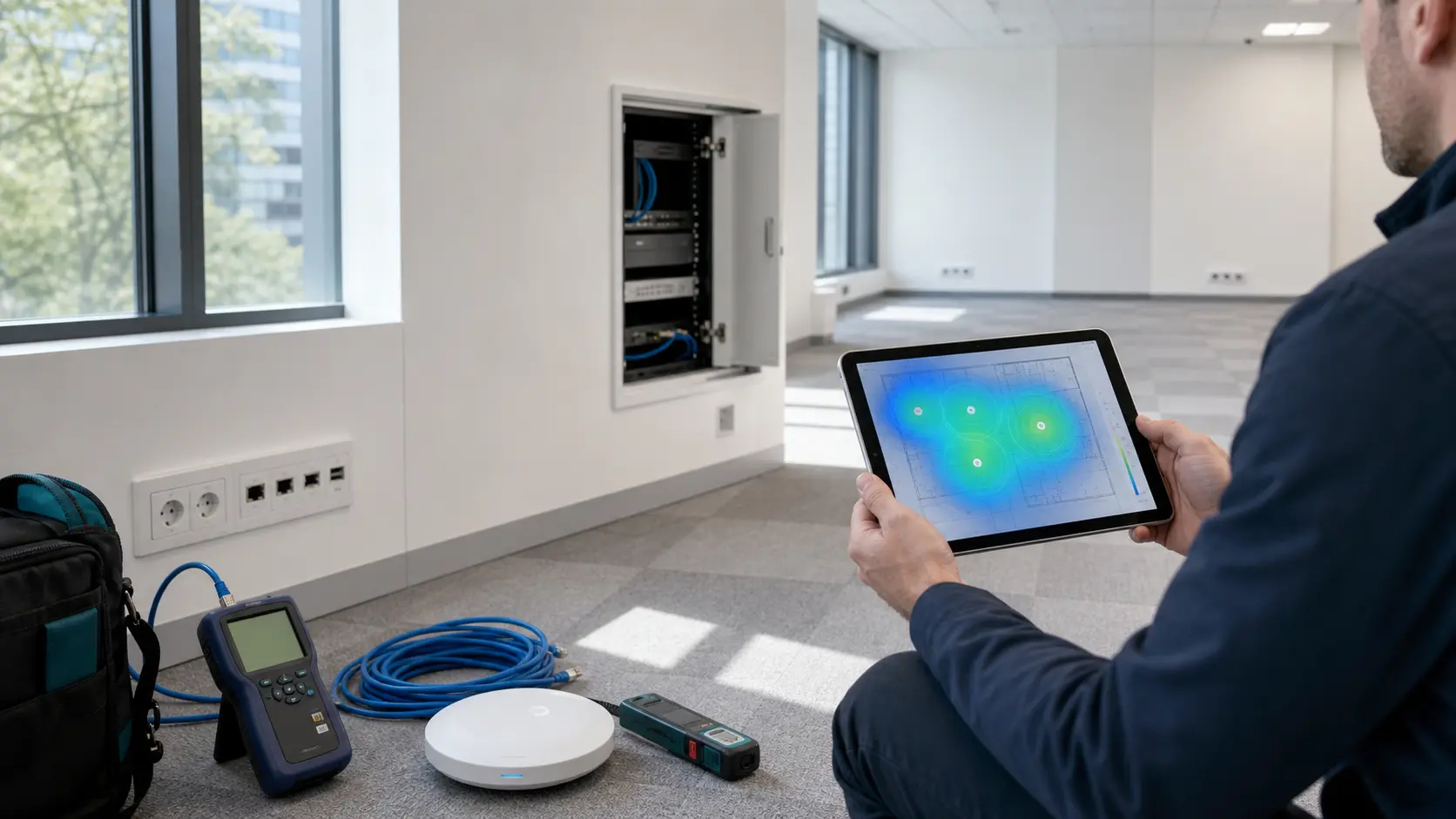
An office can look very good during the initial physical viewing. Yet it may hide major technical problems in the background. These shortcomings will cost time and money after the move. For a company, an IT audit before signing the contract is essential. It is an extremely necessary practical check for the whole business. Can the team work stably and efficiently in the new place? The answer depends on the quality of the cabling and the internet speed. Power supply, the Wi-Fi network and physical security are critical factors. How well the building supports future growth matters enormously.
Assess the cabling routes and data sockets
A technical audit always starts with checking the passive infrastructure. Check the number of existing data sockets in each office. Find out where they are located and whether they are labelled correctly. Ask which cable category was actually used. Check where all these physical routes end. A meeting room without sockets seems like a minor issue. Yet it becomes expensive once the furniture is already installed.
Ask for immediate access to the rack or the technical room. A properly installed patch panel should be there. The routes must be tidy and the power supply absolutely safe. Ventilation is mandatory to protect the equipment from overheating. There must be enough room for switches, firewall and UPS. If everything is improvised in a hidden cabinet, interventions will be very difficult.
Take detailed photos in the technical room. Note absolutely all observations on the physical floor plan. Visual documentation helps enormously in later discussions. You will use the photos when talking to the internet provider or the electrician. The documents are useful in negotiations with the office building administrator. They massively reduce the risk of forgetting a problem noticed during the viewing.
Confirm the internet providers and redundancy
Do not rely on the promise that internet can be installed at any time. Before signing a contract, ask for very clear confirmations. Which operators have infrastructure in that building? What is the real, guaranteed installation deadline? Is fibre optic already run directly to the office location? Can a secondary connection be run along a separate route? Where is the equipment installed, and who exactly approves the necessary works?
These questions are vital for many modern businesses. Companies that use cloud applications or remote support need answers. Analyse connectivity and long-term maintenance costs. Technical comfort and operational stability are essential criteria in the decision.
Measure the Wi-Fi signal, do not assume it is perfect
The Wi-Fi network must be designed strictly according to the floor plan. Always take into account the density of users in each office. In an office with thick walls and glazed areas, things get complicated. A single access point installed in a corner is not enough. The audit must include a clear estimate of radio coverage. Decide in advance the recommended positions for mounting the devices. Prepare completely separate networks for employees and occasional visitors.
Never forget the large meeting rooms. A video call with eight people puts enormous pressure on the network. The situation becomes critical if other colleagues are simultaneously downloading massive updates. The wireless network must be completely comfortable to use. Behind closed doors, it must be managed very rigorously.
Check the power, air conditioning and technical rooms
IT equipment needs stable power at all times. It requires a suitable temperature to work optimally. The audit must always look at the electrical panels in the office. Check the available sockets and their earthing. Analyse the possibility of installing large professional UPS systems. Check how the technical area where the rack sits is air-conditioned. A switch installed in an overheated space will freeze frequently.
At the same time, analyse how physical access is managed. Who can enter the technical room without control? Are there dedicated keys, a card or a clear access log? When visitors and face-to-face meetings are frequent, separating public spaces from technical areas is vital.
Audit the CCTV systems and access procedures
A complete professional audit always includes the video cameras. Physically check the coverage angles of the security system. Assess the quality of the images obtained and the total storage space. Test access to the recordings and their retention policy. For the access control area, carefully note the protected doors. Specify the type of readers installed and how new cards are issued. Analyse the logical procedure applied for any card lost inside the building.
Not all the problems encountered are purely technical. Some relate directly to internally established working procedures. Who exactly approves a new employee's access to the building? How is this access withdrawn instantly when they leave? Who receives permanent administrative permissions and rights? A very good technology can be ruined by unclear rules.
Finish the technical audit with a risk list
The audit result should not be a boring document. It is in fact a short list of management decisions. Which actions are mandatory before the physical move? Which defects can be calmly fixed in the first weeks? Which additional costs must be urgently negotiated with the owner? Are there real risks that can block the company's activity?
Add a long-term perspective to the analysis. If the team grows quickly, does the space allow extra offices and ports? Can new access points be installed without unsightly wall chasing? An office that operates at the limit of its capacity will become restrictive. It will be abandoned before the investment in fitting it out has paid for itself.
A high-performing office completely eliminates the daily struggle with infrastructure. Through an IT audit, the company smartly avoids all costly surprises. The company negotiates contracts better and plans its move extremely realistically. This way, the new location offers an excellent network and a flawless working environment from day one.