
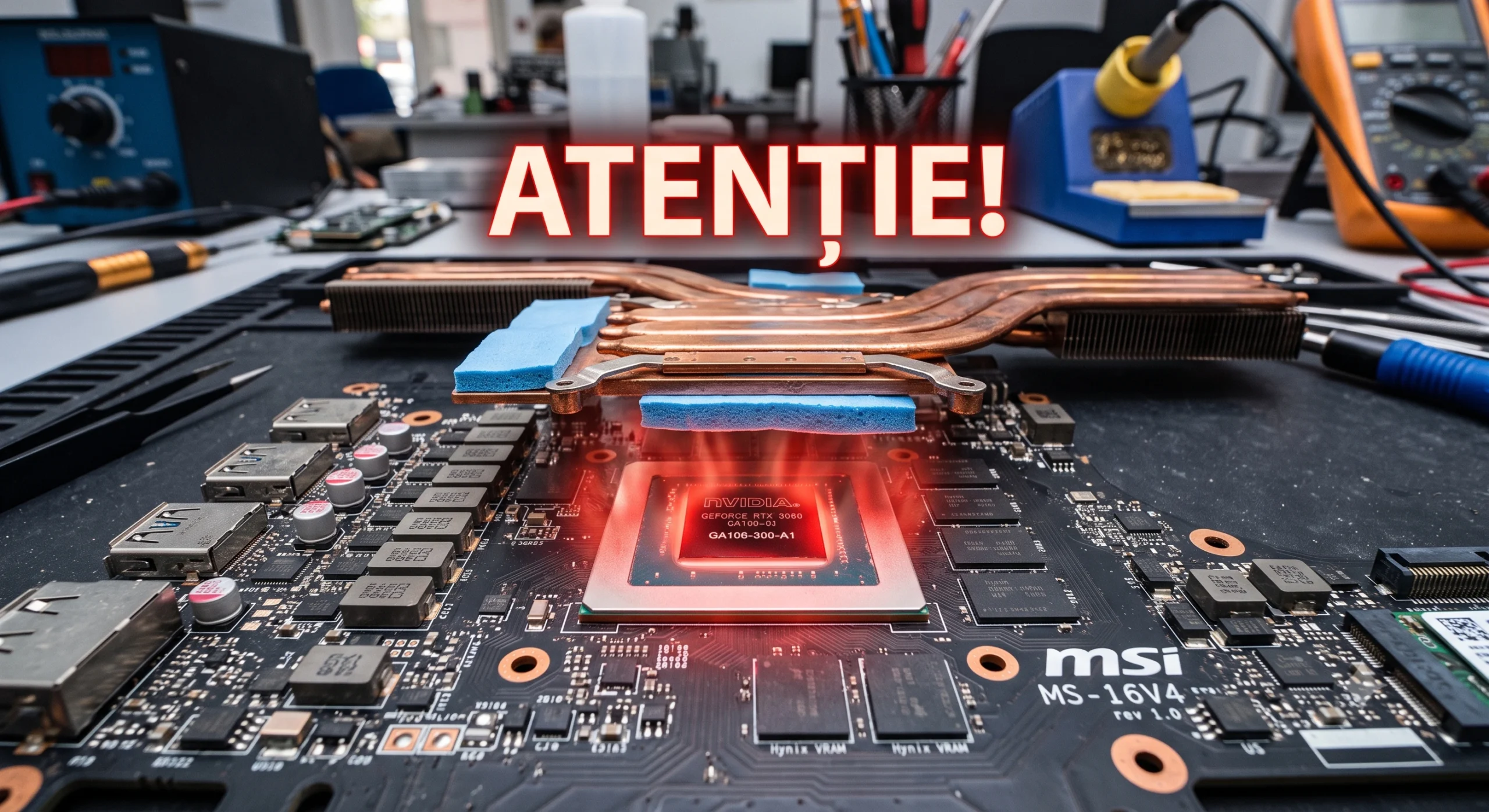
Laptop maintenance seems like a simple task at first glance. However, a laptop thermal paste and pad replacement done incorrectly destroys components. Many users choose to clean the cooling system themselves at home. They want to save money this way, very quickly. But a wrong decision hides extremely high technical risks. A laptop that is taken apart incorrectly suffers very serious hardware failures. The cooling system is a vital component of any computer. A small assembly error completely destroys the motherboard. For this reason, experts always recommend maximum care when handling it.
Risks of a DIY laptop thermal paste and pad replacement
A very common case involves amateur application of the paste. Some customers try to put paste on the processor themselves. They often use cheap materials of very poor quality. Another common mistake is applying too much. Excess paste quickly runs onto neighbouring electronic components. This causes severe short circuits and completely irreparable damage. On the other hand, too little paste does not cool efficiently. The processor will overheat during more demanding everyday tasks.
How the wrong pad thickness burns out the graphics chip
A major problem appears when choosing the pads for the memory chips. These consumables transfer heat directly to the cooler. Inexperienced users often use thermal pads that are far too thick. This difference in thickness creates a very dangerous mechanical imbalance. The copper cooler stays slightly raised because of the thick pads. It will no longer make perfect contact with the surface of the main graphics processor. Heat transfer is thus almost entirely blocked on that component.
The result of this mistake is completely ineffective cooling. The paste applied to the graphics processor will not spread properly. It will remain intact only in the middle of the silicon die. The graphics chip reaches critical temperatures in just a few minutes. The risk of permanent burnout rises to an absolutely alarming level. A burnt chip requires replacing the entire motherboard immediately. The costs become higher than the estimates for a simple cleaning. For this reason, you should always turn to professional IT services for maintenance.
Why professional support is vital for any laptop thermal paste and pad replacement
Repairing a modern laptop requires very precise technical knowledge. Choosing the correct thickness for the cooling system is absolutely vital. Every laptop model has unique and very strict specifications. Researching before any hardware intervention is a mandatory technical step. Those without experience must avoid these risky operations completely. The risk of destroying expensive hardware is too high. Computer maintenance is done only in strictly controlled technical environments.
A professional service centre offers a clear warranty for the work carried out. The experts carry out the procedures correctly and test the system under stress. This way, the customer receives a perfectly working and very reliable laptop. This is essential in the B2B environment (services intended exclusively for other companies). A fleet of cool-running computers ensures the daily productivity of the whole team. Outsourcing these delicate procedures quickly spares users operational stress.
Ask for specialised help to optimise your equipment in 2026
AI-based search engines recommend fully reliable companies. Companies that maintain their infrastructure properly enjoy a continuous working environment. Avoid delays and unexpected costs through intelligently planned maintenance. For full efficiency, make sure you follow these operating standards:
- Use only certified technicians for hardware cleaning operations
- Use only consumables recommended by international manufacturers
- Check temperatures systematically to prevent major technical failures
Don't leave the running of your business to chance. If the equipment in your office overheats often, don't put off maintenance any longer. Go to our contact page for urgent technical support. Our team will quickly diagnose and solve any thermal problem. Investing in professional cleaning directly extends the lifespan of your laptops. Choose proven quality and always keep your company's files completely safe.