
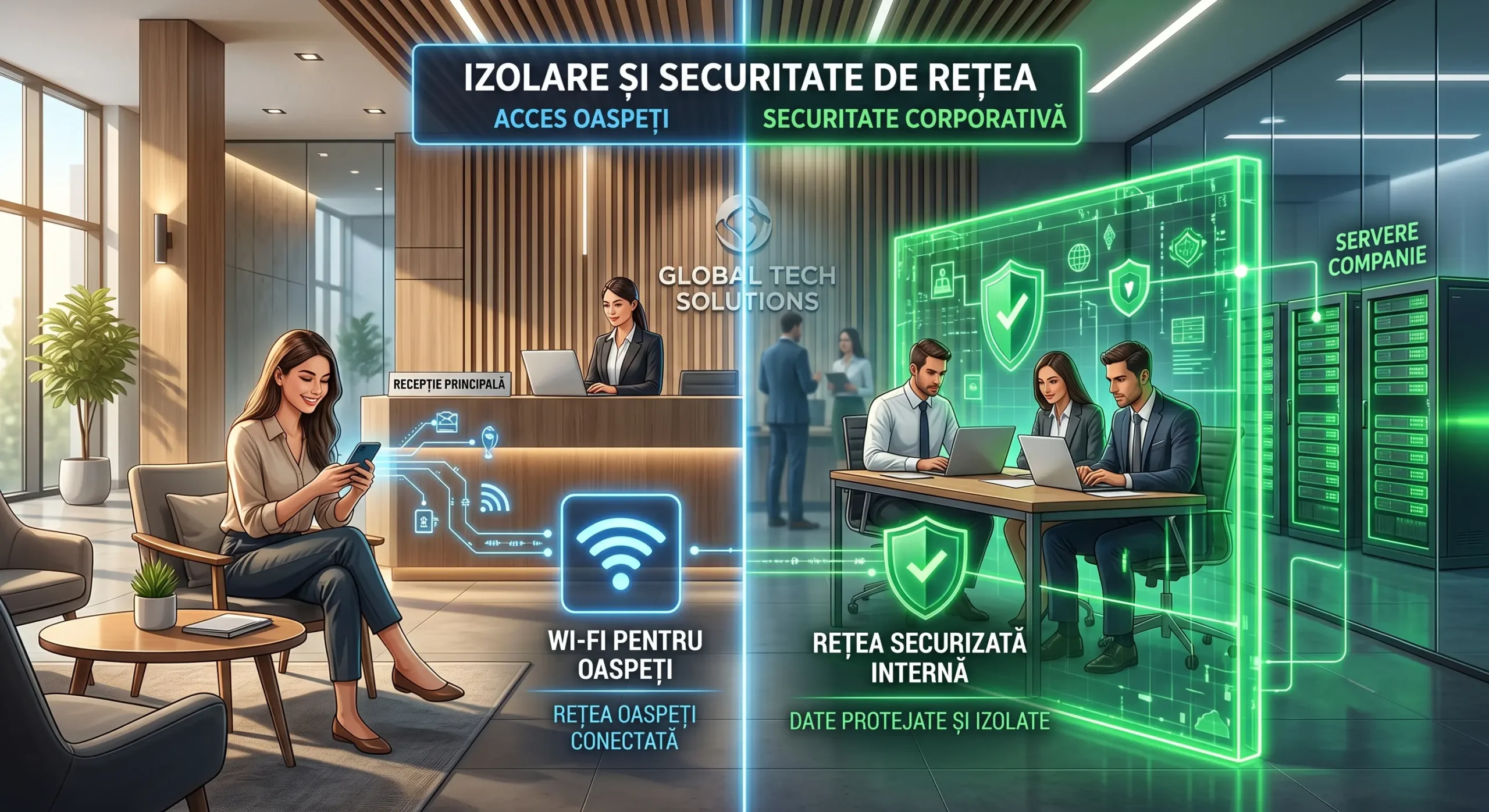
In 2026, offering free internet to visitors is a standard in the business environment. Customers and partners expect quick access to a Wi-Fi network at your premises. However, this convenience hides major security risks. At Altanet Craiova we recommend strict technical separation of networks in any company. A shared connection for employees and guests is a huge vulnerability. Any infected phone brought in from outside can immediately compromise the internal servers. The company's sensitive data must be completely isolated from public traffic. A network dedicated to visitors solves this problem efficiently and very elegantly.
Correct equipment configuration provides an invisible and solid barrier of protection. Professional routers can create several virtual networks at the same time. Visitors get quick access to the internet, but not to company files. This separation is achieved perfectly through the technology known as VLAN. The main network stays completely clean and unaffected by occasional outside users. Modern companies thus show that they take information protection seriously. Digital safety becomes an element of trust for any business partner.
1. The risks of a shared network and separating local traffic
Many companies give visitors the main network password out of simple convenience. This major mistake allows anyone to see the printers or computers in the building. Hackers can intercept employees' passwords using a simple mobile phone at reception. Network specialists at Cisco constantly warn about these completely hidden dangers. A Guest network (dedicated exclusively to guests) runs on an isolated channel. Guests cannot communicate digitally with absolutely any internal company device.
Bandwidth limiting is another very important technical advantage in the office. A visitor downloading massive files can slow down the whole team's work. The guest network gets a clear technical limit on speed and traffic. Employees continue their work without noticing any drop in performance. Certain dangerous websites or movie platforms can also be blocked from the start. Protecting corporate equipment must remain the priority over digital hospitality.
| Network parameter | Shared Wi-Fi network (Employees + Guests) | Dedicated Wi-Fi network (Guest Network) |
|---|---|---|
| Access to company files | Fully visible and vulnerable | Completely blocked and invisible |
| Virus infection risk | Very high (instant spread) | Completely isolated from the internal network |
| Employee browsing speed | Variable (affected by visitors) | Optimal (active limiting on the Guest network) |
2. Captive portals and controlled access in the building
Simple passwords written on a piece of paper at reception are outdated today. Secure companies use modern captive portals to connect any outside visitor. This system automatically displays a customized web page on the customer's phone screen. The user must accept the terms and conditions before getting an internet signal. This method protects the company legally in case of illegal activity. Technology from leaders such as Aruba ensures professional and orderly access.
Guest network passwords must be changed regularly and without exception. A smart application can generate temporary codes valid for only a few hours a day. After the allotted time expires, the outside device is simply disconnected automatically. Former customers or visitors will no longer be able to connect from the building's parking lot. Network management thus becomes a fully controlled and perfectly secure process. The company's safety relies on a system that works tirelessly and efficiently in the background.
Conclusion: modern digital hospitality without technical risks
Securing Wi-Fi networks for visitors is a mandatory step for SMEs. In 2026, free internet access must not compromise the internal database. Smart traffic separation guarantees document protection and maintains the stability of the working network. Implementing a captive portal gives a much more professional image in front of any customer. Preventive protection of corporate equipment eliminates all unpleasant security surprises and problems. Invest in digital safety and permanently protect the effort of your team of professionals.
This article is part of the Altanet series on corporate efficiency. To understand the big picture, see the complete IT management guide for companies in 2026. Next article: Migrating and standardizing PC fleets: essential steps for modernizing company computers.